
TypeScript
diskus
An ultra-lightweight, privacy-first, and self-hosted Disqus alternative
An ultra-lightweight, privacy-first, and self-hosted Disqus alternative

A lightweight, self-hosted comments system built for modern web applications.


Diskus is designed to be a fast, privacy-respecting alternative to Disqus and other bloated third-party commenting services.

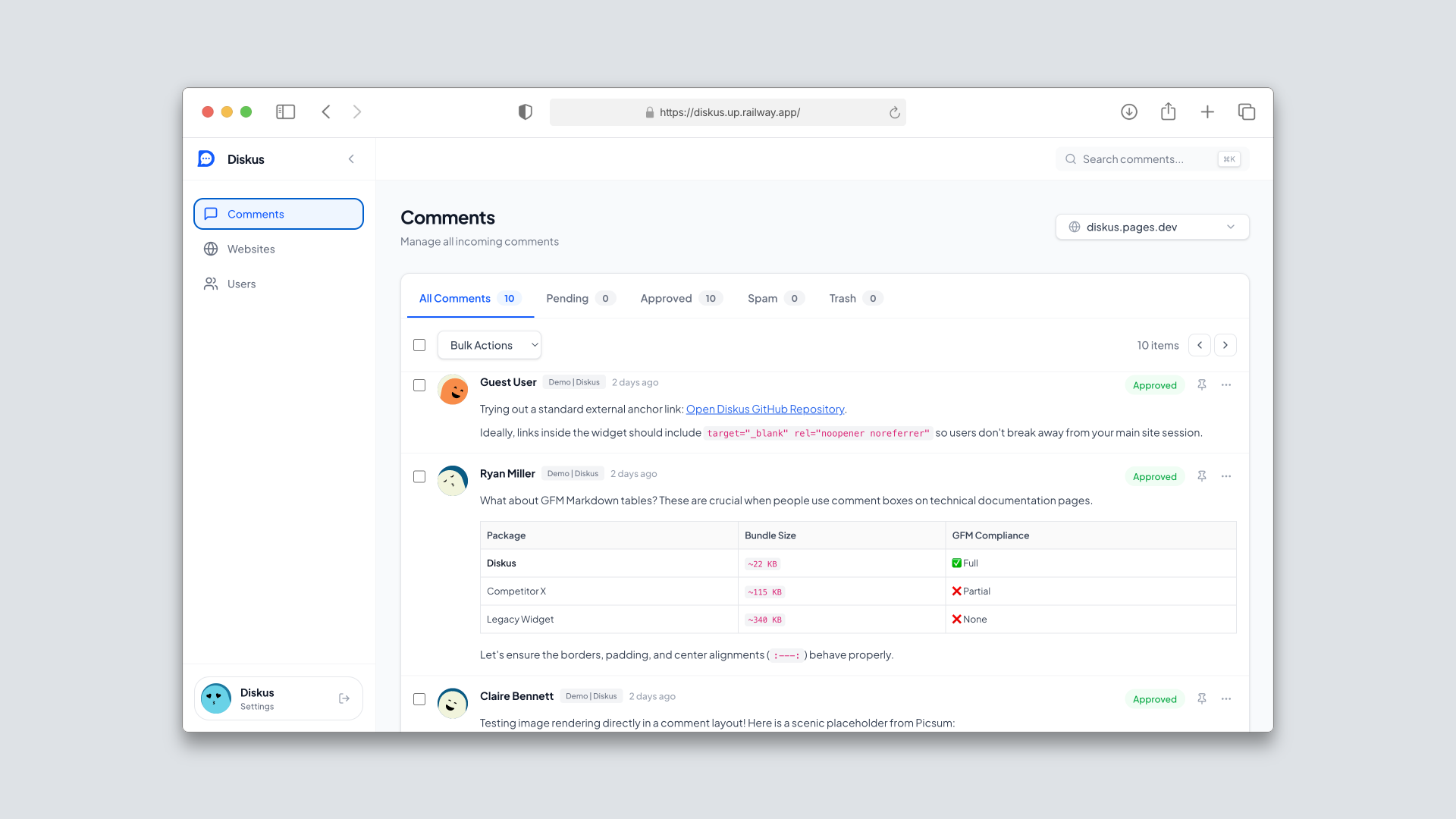
Diskus Centralized Admin Dashboard
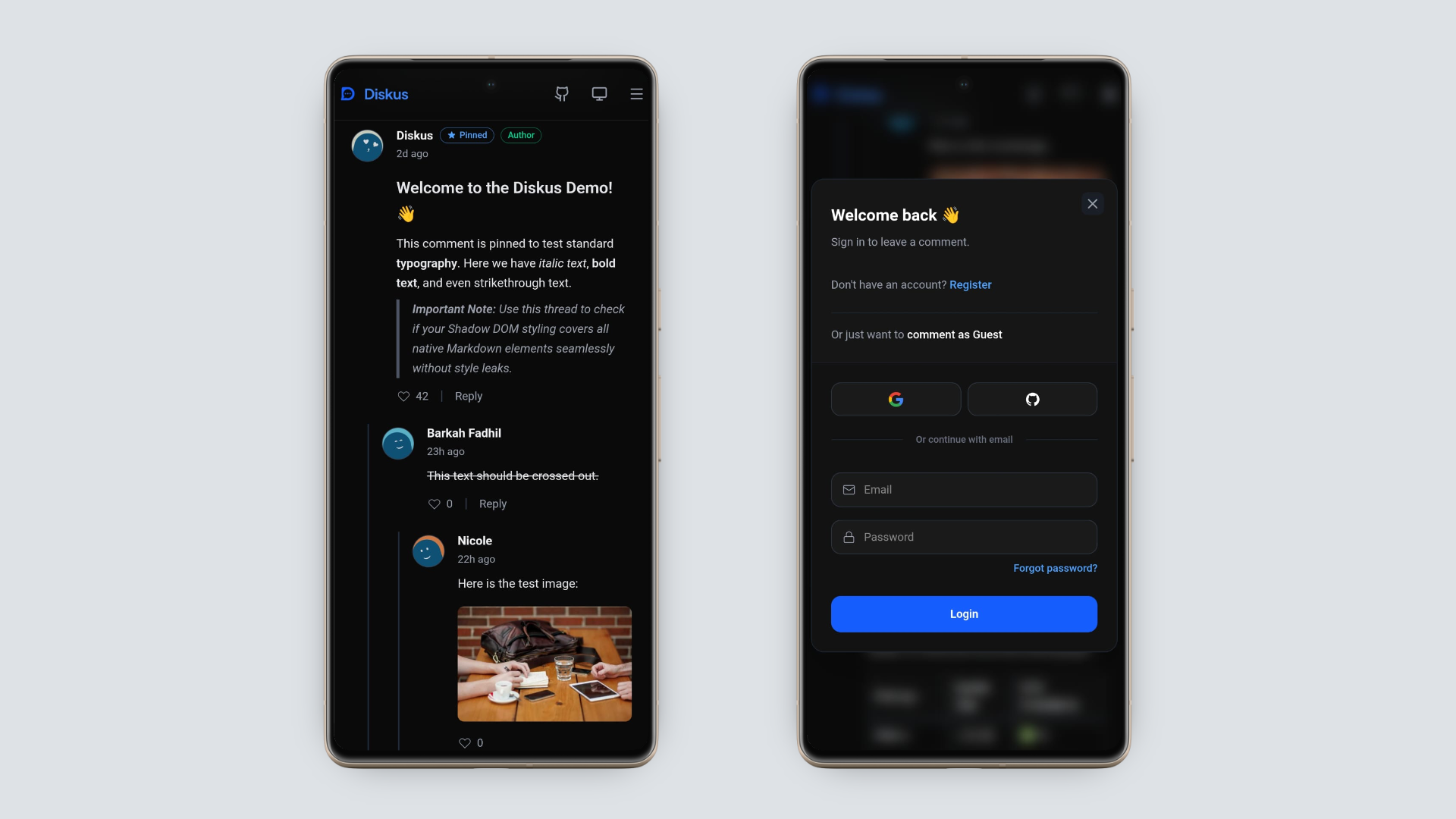
Diskus Lightweight Widget
embed.js), with a total footprint of ~28KB (gzipped), ensuring zero impact on your Core Web Vitals.Shadow DOM, ensuring your website's CSS never conflicts with the widget's design and vice-versa, without the heavy performance overhead of traditional iframes.isomorphic-dompurify) and Markdown parsing are offloaded to the server to maintain a minimal client bundle.Diskus operates as a monorepo containing three core packages:
/backend): A REST API built with Hono and running on Bun. Uses SQLite via Drizzle ORM for data persistence./dashboard): A Preact-based Single Page Application (SPA) for administrators to manage sites, moderate comments, and view users./widget): A highly optimized Preact component. The lightweight embed script (embed.js) dynamically injects the widget using a native Shadow DOM, guaranteeing 100% CSS isolation and zero style bleeding with the host website, while maintaining a featherlight ~28KB (gzipped) footprint containing full Tailwind CSS v4 logic.Clone the repository:
git clone https://github.com/fadhilbarkah/diskus.git
cd diskus
Install dependencies:
bun install
Setup environment variables:
Copy .env.example to .env in all three workspace directories (backend, dashboard, widget).
/backend): Configure the required JWT_SECRET. You can also configure DASHBOARD_ORIGIN (for CORS restrictions) and DATABASE_PATH (custom SQLite path).VITE_API_URL to point to your backend API URL.Initialize the database schema and optionally seed initial data:
cd backend
bun run db:push
# Optional: populate the database with test data and a default admin account
bun run src/db/seed.ts
Start the development server (runs backend, dashboard, and widget concurrently):
# From the project root
bun dev
Note: When you open the Dashboard (
http://localhost:5173) for the first time, you will be automatically prompted to create your initial Admin account. No manual seeding is required!

Click the button above to instantly deploy both the Backend API and the Dashboard Frontend. All environment variables, volumes, and start commands are pre-configured in this official template.
Diskus is fully containerized for easy production deployment using Docker Compose. We provide a one-click startup script that automatically handles secure secret generation.
Build and start the services:
# Run the start script
./start.sh
Note: The script will automatically generate a secure
.envfile with a strongJWT_SECRETif one does not exist, and then rundocker-compose up -d --build.
The services will be available at:
http://localhost:5173 (or your domain)http://localhost:3000Note: The database uses a Docker Volume (
diskus-data), so your comments will persist even if you restart the containers.
Instead of manually seeding the database, simply open your frontend domain in the browser. You will be greeted with a "Create Admin Account" screen. Register your account immediately to secure your deployment, as the setup screen will permanently disappear once the first admin is created.
If you ever need to completely wipe your production database (e.g., to resolve severe migration conflicts or start fresh), you must destroy the Docker Named Volume. WARNING: This will permanently delete all comments and user data.
# Bring down containers and DESTROY the database volume (-v)
docker-compose down -v

# Restart the services (a fresh database will be created)
./start.sh
Open the Dashboard (http://localhost:5173), navigate to Websites, and register a new domain. You will receive an App ID.
Paste the following HTML snippet into your target website, replacing the data attributes with your specific keys:
<!-- Diskus Embed -->
<div id="diskus-thread"
     data-app-id="YOUR_APP_ID"
     data-thread-key="your-unique-page-identifier"
     data-api-url="http://localhost:3000/api/v1">
</div>
<script src="http://localhost:5173/widget/dist/embed.js" async defer></script>
Note: The
data-thread-keyshould be unique per page (e.g., the article slug or ID) so that comments remain tied to their specific content.
If you are locked out of the dashboard, you can reset your password securely via the command line. This requires direct access to your server terminal or Railway console.
backend directory (if not already there).bun run reset-password admin@example.com
Pull requests are welcome. For major changes, please open an issue first to discuss what you would like to change.
Please make sure to update tests as appropriate.

